Amazla Get the apps

Tesla apps for Amazfit and Garmin

Your Tesla, on your wrist.

Amazla Key makes your watch a real Bluetooth key: walk up, unlock, open the trunk, no phone in your pocket. Amazla shows battery, climate and charging from anywhere.

  • No phone at the car
  • Works offline over Bluetooth
  • On Amazfit and Garmin

Two apps

A key, and a dashboard.

They do different jobs, so many people run both. Amazla Key works next to the car with no internet. Amazla works over the internet from across town.

Bluetooth key

Amazla Key

Your watch enrolls in the car as a key, just like the Tesla app on your phone.

  • Walk up and the car unlocks
  • Lock, unlock, frunk and trunk
  • No phone and no internet at the car
  • Watch face shortcut and widgets

$9.99once · up to 3 watches

Explore Amazla Key
Internet dashboard

Amazla

Battery, range and what the car is doing, with controls a tap away, wherever you are.

  • Battery, range and charging time
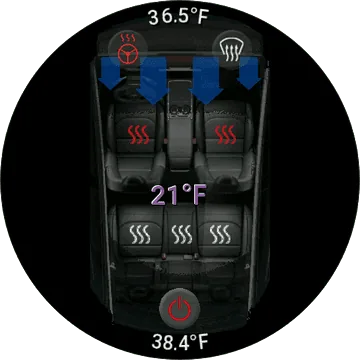
  • Climate, seat and wheel heaters
  • Charge port and charging
  • Tesla, Control and Climate widgets

Freeplans from $4.99/mo

Explore Amazla
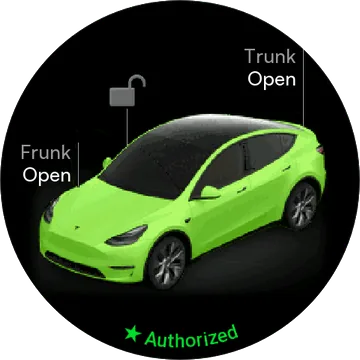
Amazla Key on a round watch: a green Model Y, status Authorized
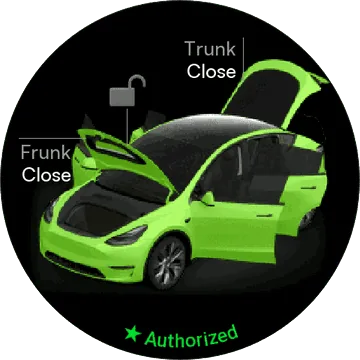
Frunk and trunk open, drawn open on the watch.

Amazla Key

Your watch is the key.

It pairs with your Tesla as a real Bluetooth phone key and signs every command with its own private key, which never leaves the watch.

Walk up, it opens

Keep the app open as you walk up. The status turns green “Authorized” and the handle just works.

Lock, frunk, trunk

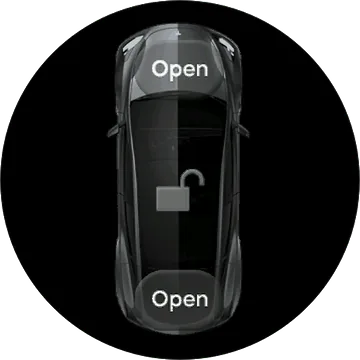
One tap each, or map one to the watch button. Open lids show as open on screen.

Works with no signal

Underground garage, airplane mode, no data plan. Bluetooth is all it needs.

From the watch face

Shortcut card, key-card widget, and the free TeslaFace watch face with a one-tap key launcher.

Set it up once

Two presses to the trunk.

Pair at the car

A couple of minutes, once.

  1. Install from ZeppGet Amazla Key in the Zepp app and buy it on your phone. One payment covers up to 3 watches.
  2. Enter your carType the VIN in the app’s settings on your phone. Copy it from the Tesla app to be safe.
  3. Tap your key cardTap “Pair” on the watch, tap your key card on the console, then confirm the new key on the car’s screen.

Make it a fob

Open the trunk without touching the screen.

  1. Map a watch buttonOn the watch, open Settings → Preferences → Press Button and pick Amazla Key.
  2. Pick the actionIn the app’s settings, set Watch Button Action to Trunk, Frunk or Lock/Unlock.
  3. Press, pressThe first press opens the app, the second opens the trunk.

Faster still: turn on Remote Only (No Walk-Up). The watch skips the walk-up handshake, which takes 4 to 8 seconds off every connection. Door handles then no longer open the car by themselves.

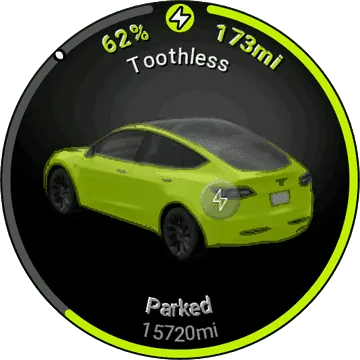
Amazla on a round watch: Model Y at 62 percent and 173 miles, parked

Amazla

Your Tesla, at a glance.

Your model in its colour, battery and range, and what it’s doing: parked, charging with the time left, asleep or offline. Controls are one swipe away, over the internet.

Climate

Climate on or off, defrost, seat heaters front and rear, heated steering wheel.

Charging

Open or close the charge port, start charging, see the time left.

Widgets

Tesla, Control and Climate cards. Check or act without opening the app.

Tesla’s own sign-in

You sign in on Tesla’s page. We never see your password.

Free

$0

  • 10 status checks a day
  • 5 commands a day
  • 1 wake a day
  • Every feature

Plus

$4.99/ month

  • 40 status checks a day
  • 20 commands a day
  • 3 wakes a day
  • Or $39.99 a year

Unlimited

$9.99/ month

  • No daily counters
  • Every car on your account
  • Wakes the car when you open it
  • Or $79.99 a year

Why plans: Tesla bills every request an app makes, wakes most of all. Every plan has every feature; only the daily allowance changes.

Side by side

Which one do I need?

FeatureAmazla KeyAmazla
ConnectsBluetooth, straight to the carInternet, through Tesla
Works fromNext to the car, about 10 mAnywhere
Phone neededOnly for setupYes, for internet
Walk-up unlockYesNo
Lock, frunk, trunkYesYes
Climate and chargingNoYes
Battery and rangeNoYes
Price$9.99 onceFree, plans from $4.99/mo
On Garmin asTesla KeyAmazla(Tesla)

Garmin

Same apps, on Garmin.

Both apps are on the Connect IQ store, with the same screens and the same look. Fenix, Forerunner, Venu, epix, Instinct and more.

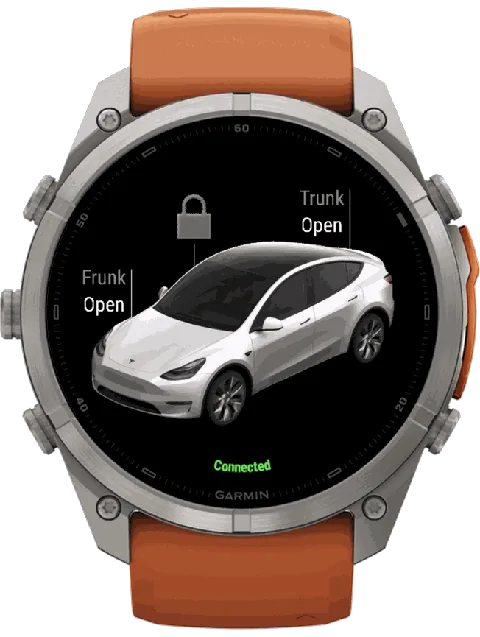
Tesla Key on a Garmin fenix: white Model Y, frunk and trunk open, Connected
Amazla Key on Garmin

Tesla Key

The Bluetooth key: lock, unlock, frunk and trunk, right next to the car, no phone needed.

Get Tesla Key
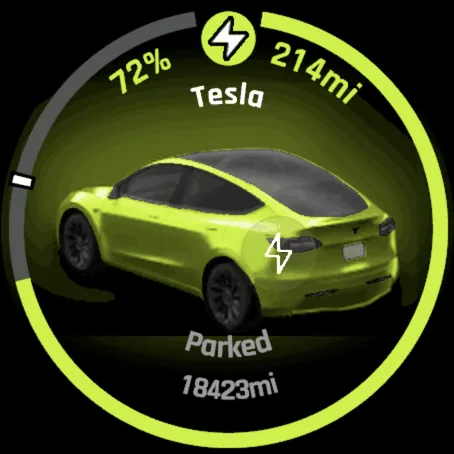
Amazla(Tesla) on a Garmin watch: Model Y at 72 percent and 214 miles, parked
Amazla on Garmin

Amazla(Tesla)

The dashboard: battery, range, climate and charging, from anywhere over the internet.

Get Amazla(Tesla)

Prefer a watch face? TeslaKey-Link shows the time and heart rate and opens Tesla Key with a long press.

Supported watches

Made for your watch.

Both apps are on the Zepp store for Amazfit and on Connect IQ for Garmin.

Amazfit

Amazla Key

Zepp OS 3 and newer

  • Active
  • Active Edge
  • Active Max
  • Active 2
  • Active 2 Square
  • Active 3 Premium
  • Balance
  • Balance 2
  • Balance 3
  • Balance Ultra
  • Bip 5 Unity
  • Bip 6
  • Bip Max
  • Cheetah
  • Cheetah Pro
  • Cheetah Square
  • Cheetah 2 Pro
  • Cheetah 2 Ultra
  • Falcon
  • GTR 4
  • GTS 4
  • T-Rex 3
  • T-Rex 3 Pro
  • T-Rex Ultra
  • T-Rex Ultra 2

Amazla

Every Amazla Key watch, plus older models

  • Band 7
  • Bip 5
  • GTR 3
  • GTR 3 Pro
  • GTR mini
  • GTS 3
  • GTS 4 mini
  • T-Rex 2
  • and every Amazla Key watch

Garmin

Tesla Key

Every Amazla(Tesla) watch, plus

  • Approach S70
  • D2 Mach 2
  • D2 Mach 2 Pro
  • Descent G2
  • Enduro 3
  • fēnix 8 Pro
  • fēnix 9
  • fēnix 9 Pro
  • fēnix E
  • Forerunner 255
  • Forerunner 955
  • Instinct 3 Solar
  • Instinct Crossover AMOLED

Amazla(Tesla)

All of these also run Tesla Key

  • D2 Air X10
  • D2 Mach 1
  • Descent Mk3
  • epix (Gen 2)
  • epix Pro
  • fēnix 7
  • fēnix 7S
  • fēnix 7X
  • fēnix 7 Pro
  • fēnix 8
  • fēnix 8 Solar
  • Forerunner 265
  • Forerunner 570
  • Forerunner 965
  • Forerunner 970
  • Instinct 3 AMOLED
  • MARQ (Gen 2)
  • Venu 4
  • Venu Sq 2
  • Venu X1
  • vívoactive 6

FAQ

Good questions.

Which Teslas work?

Amazla Key works with any Tesla that supports a phone key over Bluetooth: Model 3, Model Y, Cybertruck, and Model S and Model X from 2021. Amazla works with any Tesla on your Tesla account.

Do I need my phone with me?

Not for Amazla Key. After pairing, the watch talks to the car on its own over Bluetooth. Amazla goes through the internet, so it uses your phone’s connection.

Does Amazla Key work in the background?

No. The app has to be open on the watch screen, because the watch does not allow Bluetooth from background apps. Map it to a watch button and it’s one press away.

Is it safe?

Amazla Key uses Tesla’s own phone-key protocol. Every command is signed on the watch with a key that never leaves it, and the car checks each one. Amazla signs in on Tesla’s own page and never sees your password.

Will Amazla wake my car and drain the battery?

Only when you tap. On Free and Plus the app never wakes the car on its own.

Is there a free trial of Amazla Key?

No. If it doesn’t work with your car, ask for a refund within 14 days and you get your money back.

Is it on Garmin?

Yes. Amazla Key is Tesla Key on the Garmin store, Amazla is Amazla(Tesla), and the watch face is TeslaKey-Link.

Something isn’t working. Who do I ask?

Open the app’s settings in the Zepp app and tap “Email us”, or write to [email protected].

Get started

Leave the phone.

Amazfit: install the Zepp app on your phone first, then open the app page. Garmin: get it from the Connect IQ store.

No Zepp yet? Zepp for iPhone · Zepp for Android
Watch face: TeslaFace in Zepp · TeslaKey-Link for Garmin